A Turn to Learn

Ed Tech Integration in the Elementary Classroom

  • Technology Tutorials
    • Chromebooks
    • PowerPoint
    • Photo Editing
  • Teacher Tips
    • Classroom Organization
    • Classroom Management
    • Techie Tricks
  • Classroom Activities
    • Smartboard Games
    • Teachers Pay Teachers
  • About Me

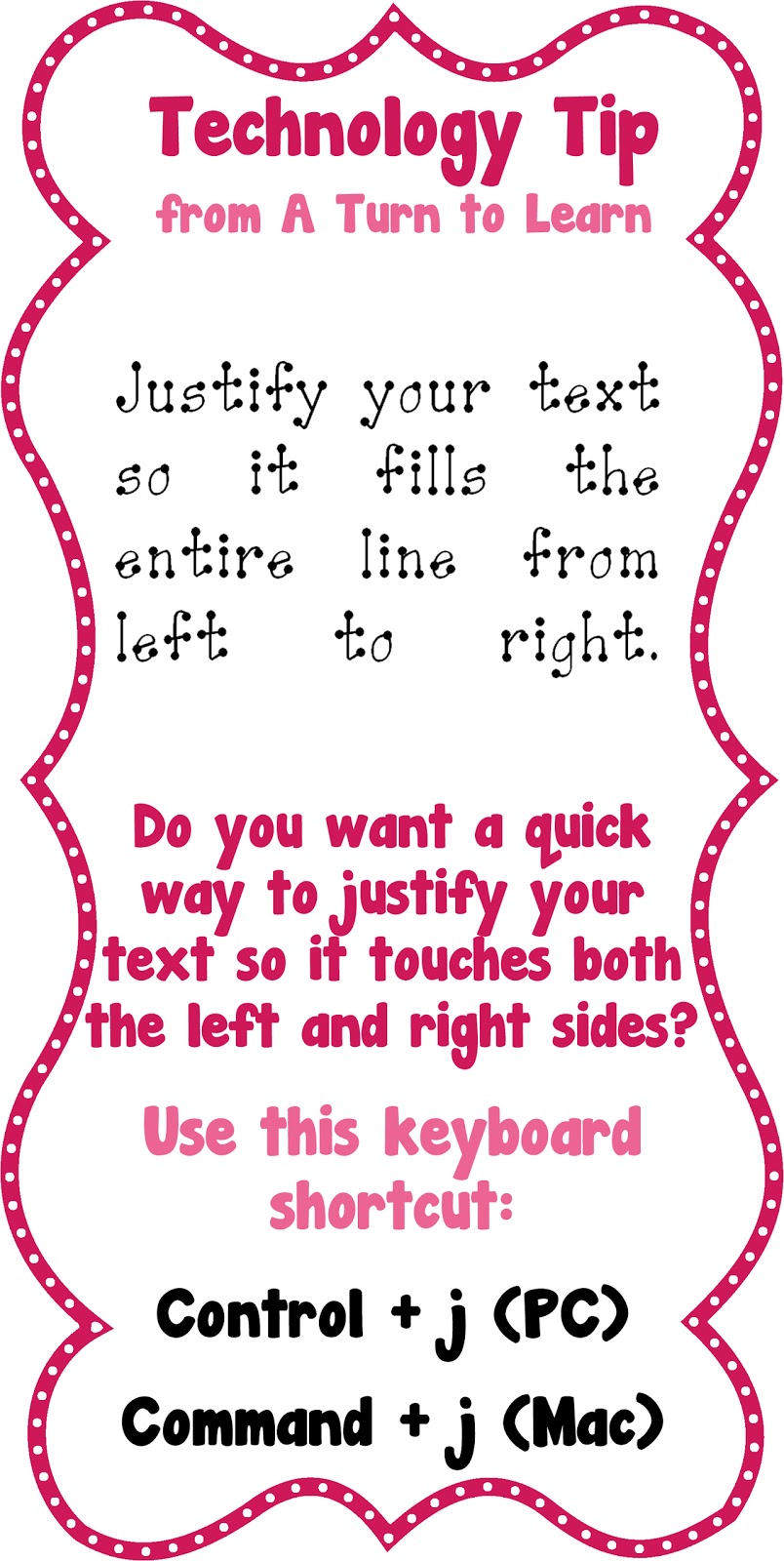
Keyboard Shortcut to “Justify” Your Text!

09.20.2012 by Jessica Kings //

It’s time for another little tip for “Technology Tip Thursday!”

This one is
also for Microsoft Word and PowerPoint, but it might just work in other programs as well!  Basically, justified means it touches both edges of the paper (left and right).  When you look at a lot of chapter books the text is “justified.”  It’s definitely one of my favorite because I just love the look of paragraphs when they’re justified! 
Try it out and let me know how you like it! 
Share this:

  • Facebook
  • Pinterest
  • Twitter
  • Email

Categories // Keyboard Shortcuts

Comments

  1. Mrs. Clancy says

    September 20, 2012 at 10:14 pm

    Jessica I would love to know the cute font you are using for the title? Thanks Melissa

    • TurntoLearn says

      September 20, 2012 at 10:45 pm

      The font in the title is Janda Manatee, and the font with the dots on the letters is ABC Bulletin. I hope that helps!

Connect

  • Bloglovin
  • Facebook
  • Pinterest
  • YouTube

Search

Categories

Products

Certifications


Tynker Blue Ribbon Educator

Nearpod Certified Educator

Certified Brain Pop Educator

Try This Tutorial

Chromebook Help - Fix a Gigantic Mouse

Help! Fix My Chromebook… My Mouse is Gigantic!

Try This Activity

Chromebook Help - Fix Video Pop Ups in Chrome

Help! Fix My Chromebook… I’m Getting Video Pop Ups!

Popular Posts

  • How to Print Anything at a Smaller Size!
    How to Print Anything at a Smaller Size!
  • How To Take a Video of Your Computer Screen
    How To Take a Video of Your Computer Screen
  • How to Make an Outline of Any Font!
    How to Make an Outline of Any Font!
  • How to Save a PowerPoint Slide as a Transparent Image!
    How to Save a PowerPoint Slide as a Transparent Image!
  • St. Patrick's Day Craziness! (and Another Freebie!)
    St. Patrick's Day Craziness! (and Another Freebie!)

Copyright © 2026 · Modern Studio Pro on Genesis Framework · WordPress