A Turn to Learn

Ed Tech Integration in the Elementary Classroom

  • Technology Tutorials
    • Chromebooks
    • PowerPoint
    • Photo Editing
  • Teacher Tips
    • Classroom Organization
    • Classroom Management
    • Techie Tricks
  • Classroom Activities
    • Smartboard Games
    • Teachers Pay Teachers
  • About Me

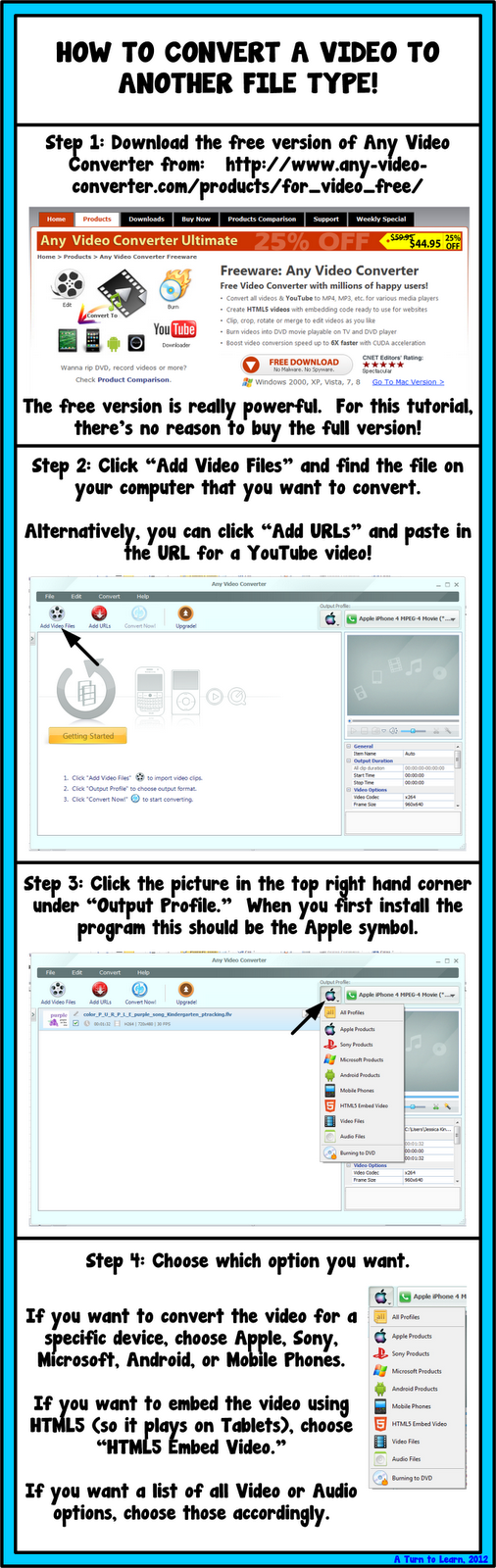
How to Convert a Video to Another File Type!

12.03.2012 by Jessica Kings //

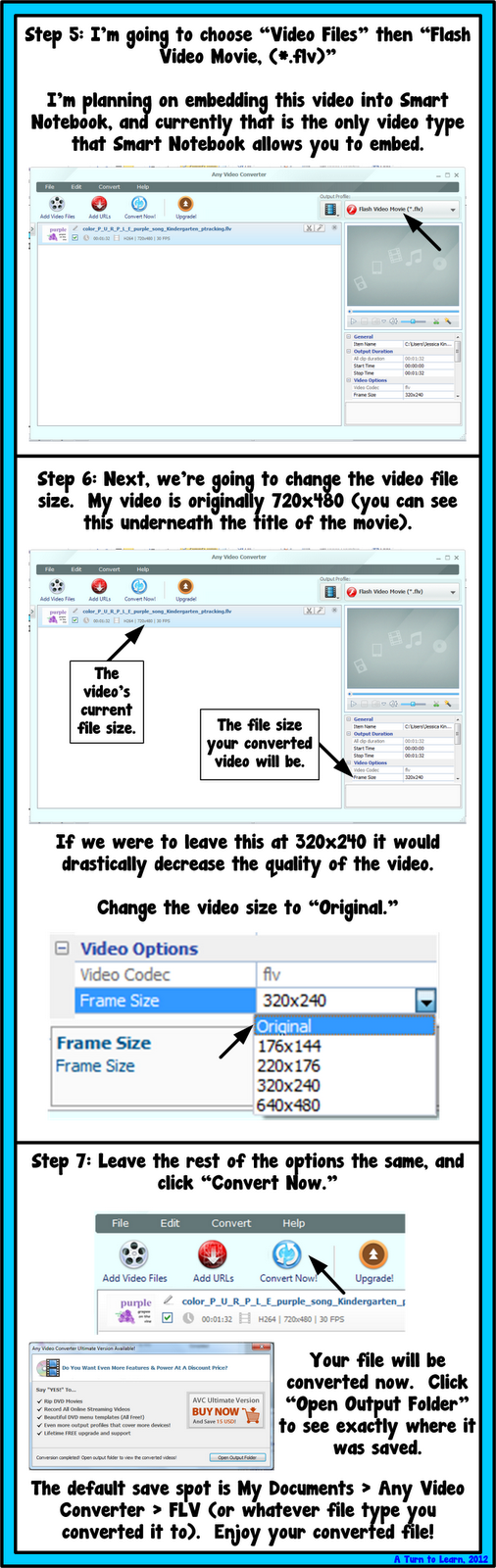
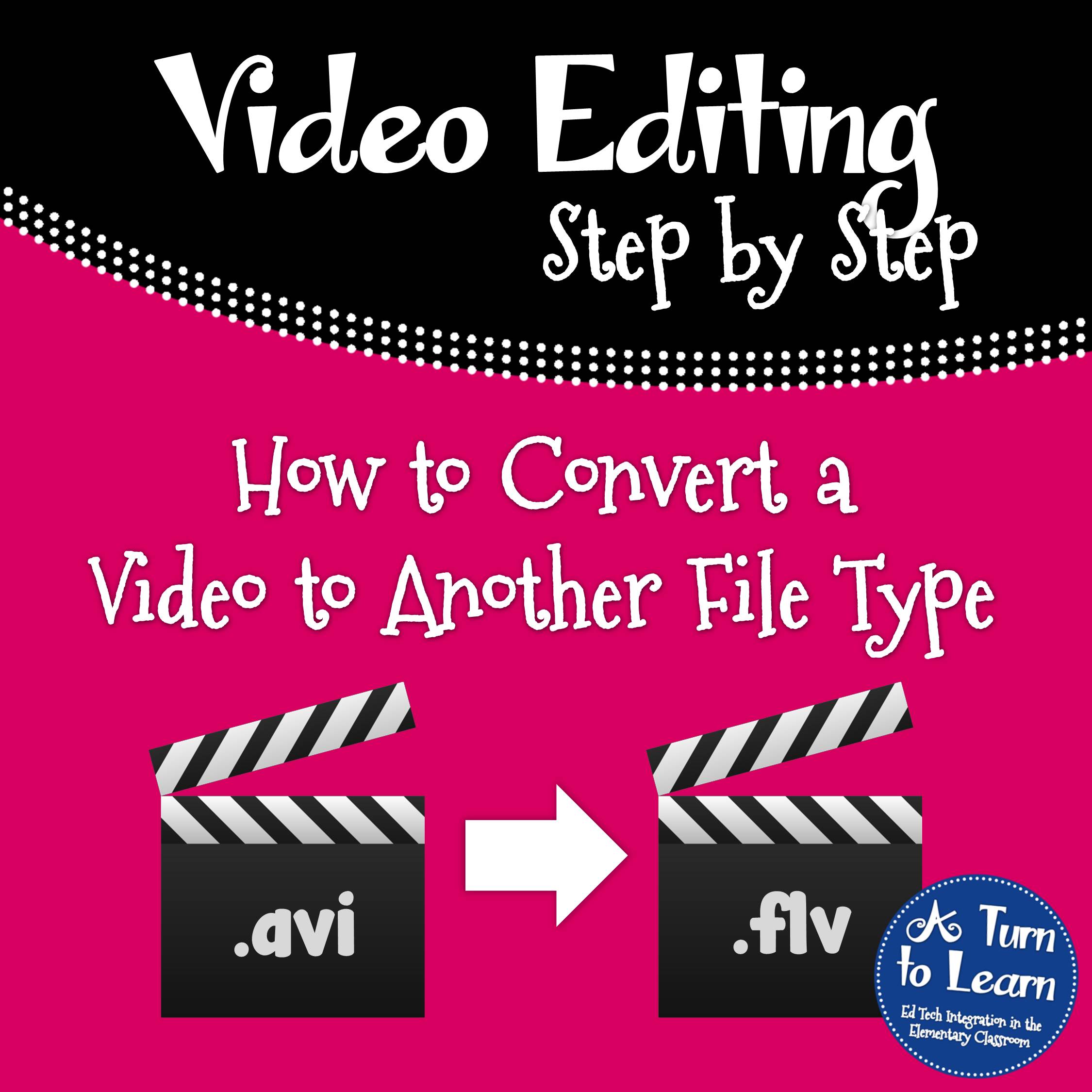
I know, I know… it’s not Tuesday yet I’m doing a technology tutorial!  And I know… at a glance, this tutorial doesn’t seem very “teachery…” but I promise you it is!  Converting videos to another file type is perfect for adding that YouTube video to your class iPad / iTouch (even if there’s no internet!) and sometimes we need to do this to help us embed videos in Smart Notebook.  Since it looks like embedding videos will win the technology poll this week, I think this is the perfect time to add it!
How to Convert a Video to Another File Type


If you want to embed these FLV videos in Smart Notebook, be sure to check out that tutorial here:
How to Embed a Video in Smart Notebook

Share this:

  • Facebook
  • Pinterest
  • Twitter
  • Email

Categories // Smart Notebook, Technology Tutorials

Comments

  1. Vanessa says

    December 4, 2012 at 2:34 am

    THANK YOU! I just made a movie on my PC (.wmv) for my kindergarten team and my MAC friends cannot open it! How will they see the adorable song for our Winter Performance if they can't open it? Now I know, thank you very much!
    Vanessa
    Kindergarten Schmindergarten

    • TurntoLearn says

      December 4, 2012 at 2:39 am

      Perfect timing!!! 🙂

  2. Brigid Ann says

    December 4, 2012 at 6:09 am

    Wow! Sooo helpful!
    Thanks for sharing…
    If you have time, stop by my blog and enter the giveaway!
    Thanks,
    Brigid

    Brigid's Daily Lesson Log

    • TurntoLearn says

      April 3, 2013 at 2:04 am

      No problem! I got behind in responding to comments so I missed the giveaway 🙁 but thanks for the heads up!

  3. Dominique says

    March 31, 2013 at 3:43 am

    This is so great – I am LOVING all your really practical and applicable tutorials! Thank you sooooo much!

    • TurntoLearn says

      April 3, 2013 at 2:04 am

      No problem!!!

Connect

  • Bloglovin
  • Facebook
  • Pinterest
  • YouTube

Search

Categories

Products

Certifications


Tynker Blue Ribbon Educator

Nearpod Certified Educator

Certified Brain Pop Educator

Try This Tutorial

Chromebook Help - Fix a Gigantic Mouse

Help! Fix My Chromebook… My Mouse is Gigantic!

Try This Activity

Chromebook Help - Fix Video Pop Ups in Chrome

Help! Fix My Chromebook… I’m Getting Video Pop Ups!

Popular Posts

  • How to Put Pictures Side By Side in Blogger
    How to Put Pictures Side By Side in Blogger
  • Alphabet Writing/Formation Signs & a Free Frame!
    Alphabet Writing/Formation Signs & a Free Frame!
  • How to See How Many Email Followers You Have and Who They Are
    How to See How Many Email Followers You Have and Who They Are
  • Seamless Classroom Transitions with the "Action Cup!"
    Seamless Classroom Transitions with the "Action Cup!"
  • Cloud Types Interactive E-Books and Games for Smartboard
    Cloud Types Interactive E-Books and Games for Smartboard

Copyright © 2026 · Modern Studio Pro on Genesis Framework · WordPress