A Turn to Learn

Ed Tech Integration in the Elementary Classroom

  • Technology Tutorials
    • Chromebooks
    • PowerPoint
    • Photo Editing
  • Teacher Tips
    • Classroom Organization
    • Classroom Management
    • Techie Tricks
  • Classroom Activities
    • Smartboard Games
    • Teachers Pay Teachers
  • About Me

Quick and Easy Addition Game

04.08.2013 by Jessica Kings //

Yikes!  I was looking at my recent posts this morning and so many of them are focused on technology.  Don’t get me wrong… I love technology, but I love teaching as well!  I figured I’d share a quick picture of an addition game I did today.  It was so easy to make, and the kids had a blast doing it!

I kind of want to start a weekly feature for hands on activities… but I can’t think of a cute name for it… any ideas?!  Maybe Friday Fun Day?”  Or “Hands-On Fun Friday?” 

What do you think I should call it? I’m open to any day of the week… not just Friday!!!
Share this:

  • Facebook
  • Pinterest
  • Twitter
  • Email

Categories // Classroom Activities

Comments

  1. Carrie H says

    April 9, 2013 at 3:45 am

    Hmmm. We often have Fantastic Friday. Along with Flexible Friday! Sometimes on Friday we don't follow our schedule as well as I'd like.

  2. KK says

    April 9, 2013 at 8:26 am

    Fingers on a Friday …or Fridays Finger Fun

  3. Sara B says

    April 9, 2013 at 9:10 pm

    Manipulative Monday? Keeping the theme with your Technology Tuesday… Ok I've been at school too long today. 🙂

  4. Cheri says

    April 9, 2013 at 9:31 pm

    We do Math Dessert! The kids think we are playing and they don't consider it work! It can be done any day of the week and can be any type of activity!

  5. Joan says

    April 10, 2013 at 4:35 am

    Thanks for all your helpful tutorials. I love the idea of Math Dessert. How fun does that sound?!

Connect

  • Bloglovin
  • Facebook
  • Pinterest
  • YouTube

Search

Categories

Products

Certifications


Tynker Blue Ribbon Educator

Nearpod Certified Educator

Certified Brain Pop Educator

Try This Tutorial

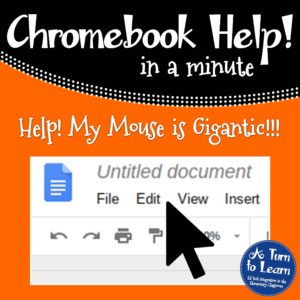
Chromebook Help - Fix a Gigantic Mouse

Help! Fix My Chromebook… My Mouse is Gigantic!

Try This Activity

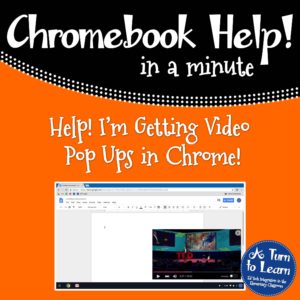
Chromebook Help - Fix Video Pop Ups in Chrome

Help! Fix My Chromebook… I’m Getting Video Pop Ups!

Popular Posts

  • PBS Kids Play Review
    PBS Kids Play Review
  • How to Have Both Portrait and Landscape Slides in One PowerPoint! (-ish!)
    How to Have Both Portrait and Landscape Slides in One PowerPoint! (-ish!)
  • How to Make Clipart From Your Own Drawings!
    How to Make Clipart From Your Own Drawings!
  • How to Make a One Page Folding Book!
    How to Make a One Page Folding Book!
  • How to Make a 4" x 6" Document in PowerPoint
    How to Make a 4" x 6" Document in PowerPoint

Copyright © 2026 · Modern Studio Pro on Genesis Framework · WordPress