It’s Tuesday again! I don’t know how the weeks keep passing by so quickly! This week, we’ll be focusing on how to change the reading level of your Google search results! NOTE: Google has since removed this awesome option from their search engine. In the meantime, I’ll be leaving this post up in hopes […]
-ay Word Family Computer/Smartboard Lesson
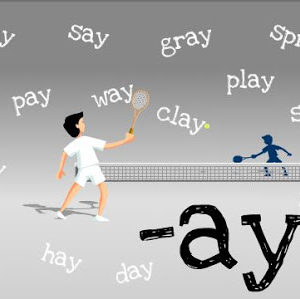
Though some of you may be on summer vacation, I’m just coming up towards the end of my school year. This word family Prezi is the last one for the year! Click the picture below to check out a fun Prezi for the -ay word family! Come next year, I’ll be revamping some of my […]
How to Make Any Picture Into an Icon!
It’s Tuesday again… which means another Technology Tuesday post! This week we’ll learn how to take any picture that you want and make it into an icon on your computer! I love changing the pictures of my folders to a picture related to the content area! Now here is the tutorial! It starts with […]
-ug Word Family Computer/Smartboard Lesson

It’s that time again… time for another Prezi! This is our second to last word family this year, so there will only be one more after this one (the -ay word family). Click the picture to take you there! If you haven’t seen my other Prezis yet, click the picture below to check them out!
How To Take a Video of Your Computer Screen
All of these Tuesdays are just flying by, and I’m excited to offer another Technology Tuesday post… How to Take a Video of Your Computer Screen! Now, if you’re doing this on a Mac or a PC, you’re going to need two different programs… so I wrote up a walk through for each […]
Addition/Subtraction Key Word Posters & June Problem of the Day
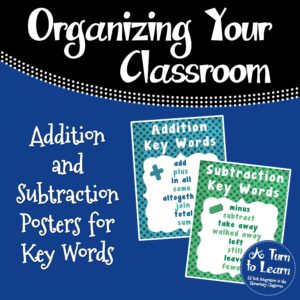
In class lately, we’ve been working on the key words that tell us to add or subtract when we hear a word problem. I made some cute posters for these and figured I’d share them in both color and black/white. The actual posters are obviously much higher quality than the preview image below! Click each […]
How To Laminate an Envelope!
Are you addicted to laminating? (Aren’t we all!?) Have you ever wondered “How could I laminate an envelope?” If so, this is the post for you! The Technology Tuesday winner this week was “How to Laminate an Envelope!” This poll was pretty exciting… it had a record 147 votes, and almost half of those votes […]
Things I Couldn’t Live Without!
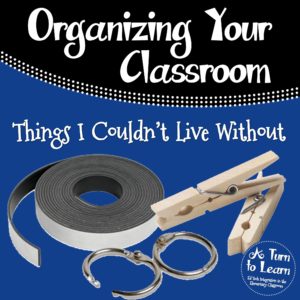
There are some things that I look at in my classroom and think… how did I live without that my first year!? There are so many things I couldn’t live without in my classroom, but I’ll stick with the basics! I’m linking this up with Teacher Idea Factory’s Linky Party! Binder Rings These are the best […]
- « Previous Page
- 1
- …
- 24
- 25
- 26
- 27
- 28
- …
- 32
- Next Page »