A Turn to Learn

Ed Tech Integration in the Elementary Classroom

  • Technology Tutorials
    • Chromebooks
    • PowerPoint
    • Photo Editing
  • Teacher Tips
    • Classroom Organization
    • Classroom Management
    • Techie Tricks
  • Classroom Activities
    • Smartboard Games
    • Teachers Pay Teachers
  • About Me

How to Make a PowerPoint Legal Sized (and Print It!)

02.05.2014 by Jessica Kings //

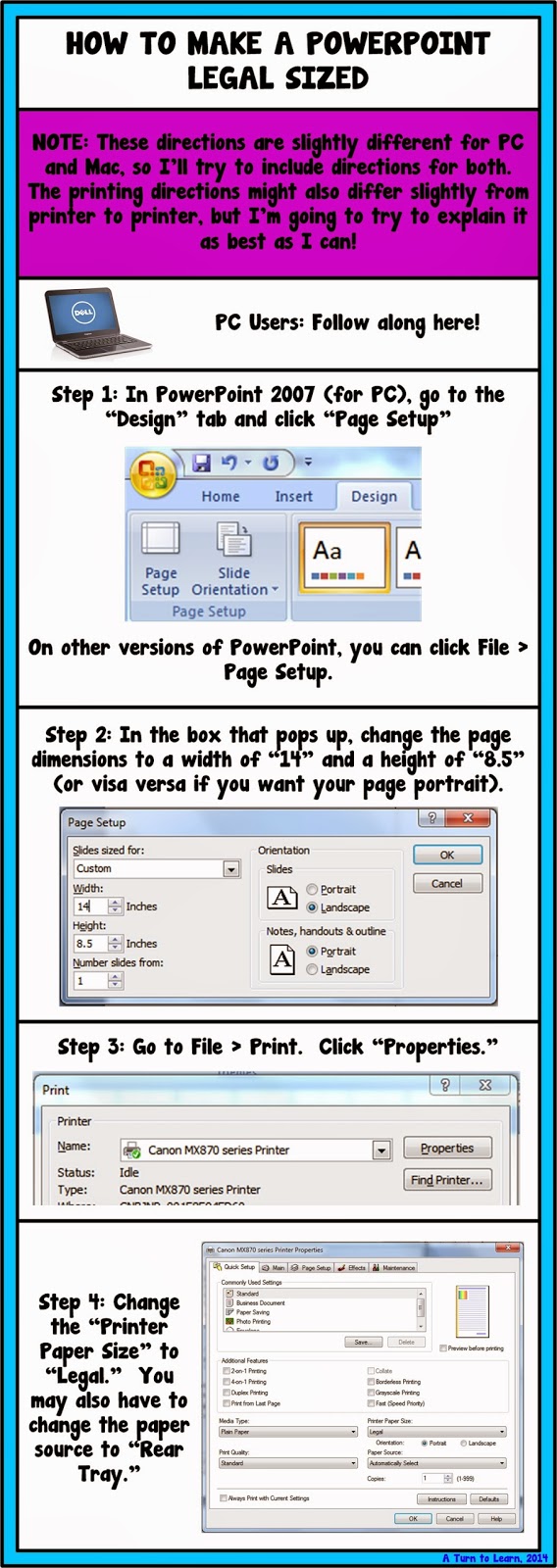
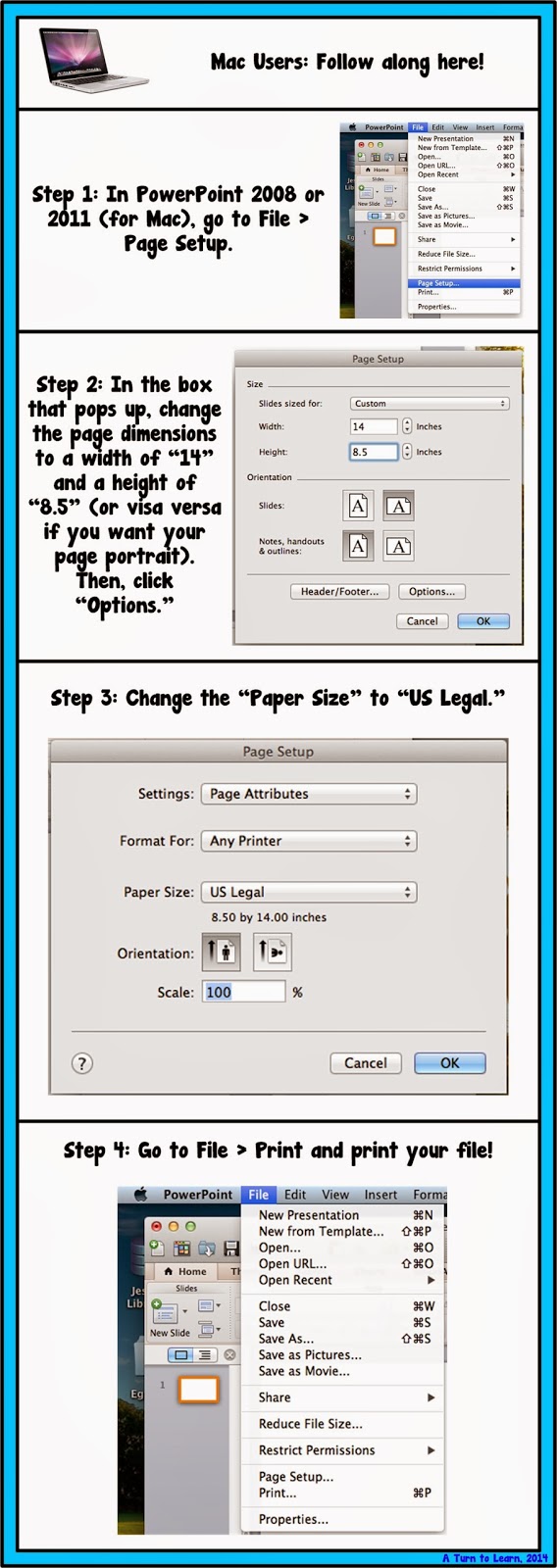
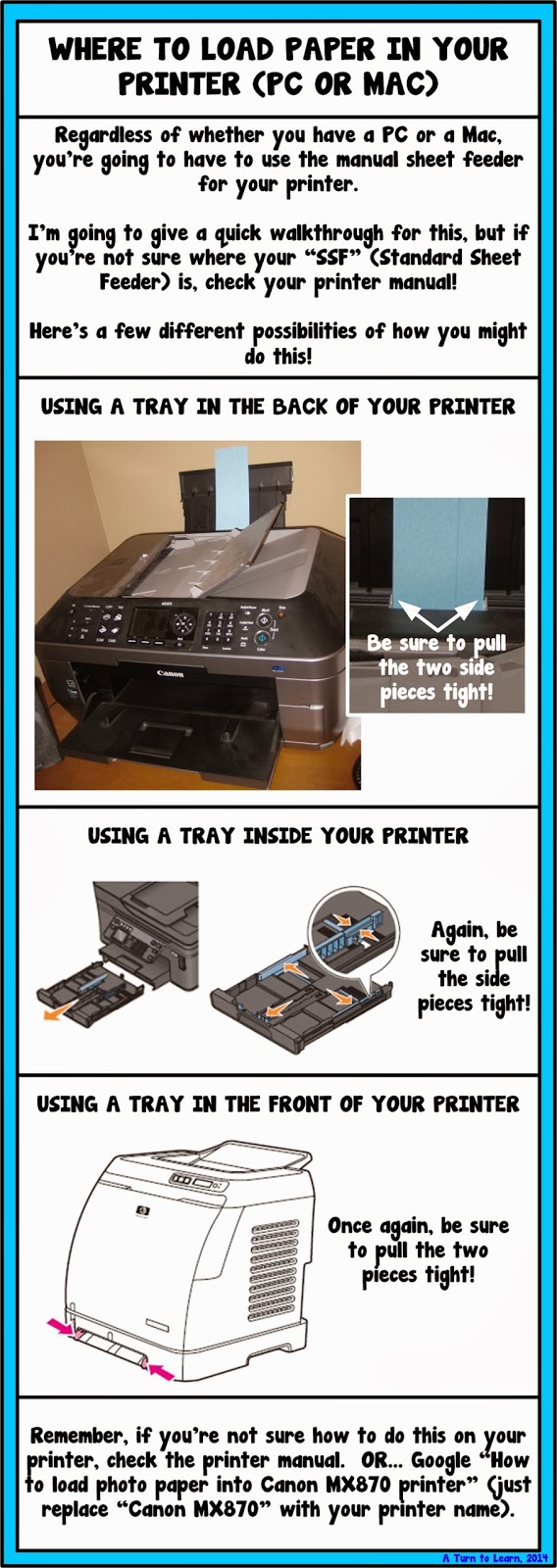
This tutorial is pretty easy, but not as easy as you would think.  In theory, if I change the paper size in one area of the document, shouldn’t everything sync and know that my document is legal sized?  Unfortunately, that’s not the case!  Either way, it’s pretty easy to do (and very helpful when you make your own classroom items!)


Enjoy!
Share this:

  • Facebook
  • Pinterest
  • Twitter
  • Email

Categories // PowerPoint, Technology Tutorials

Connect

  • Bloglovin
  • Facebook
  • Pinterest
  • YouTube

Search

Categories

Products

Certifications


Tynker Blue Ribbon Educator

Nearpod Certified Educator

Certified Brain Pop Educator

Try This Tutorial

Chromebook Help - Fix a Gigantic Mouse

Help! Fix My Chromebook… My Mouse is Gigantic!

Try This Activity

Chromebook Help - Fix Video Pop Ups in Chrome

Help! Fix My Chromebook… I’m Getting Video Pop Ups!

Popular Posts

  • How to Make a 4" x 6" Document in PowerPoint
    How to Make a 4" x 6" Document in PowerPoint
  • How to See What Your Most Popular Blog Posts Are
    How to See What Your Most Popular Blog Posts Are
  • How to Copy HTML/Embed Code to Your Blog!
    How to Copy HTML/Embed Code to Your Blog!
  • Show Off Your Classroom!
    Show Off Your Classroom!
  • How to Make Primary Writing Lines
    How to Make Primary Writing Lines

Copyright © 2026 · Modern Studio Pro on Genesis Framework · WordPress