A Turn to Learn

Ed Tech Integration in the Elementary Classroom

  • Technology Tutorials
    • Chromebooks
    • PowerPoint
    • Photo Editing
  • Teacher Tips
    • Classroom Organization
    • Classroom Management
    • Techie Tricks
  • Classroom Activities
    • Smartboard Games
    • Teachers Pay Teachers
  • About Me

Copy Your Text’s Formatting

03.14.2013 by Jessica Kings //

This is quite possibly the coolest thing I’ve ever seen!  It can be time consuming to find the perfect combination of fonts and text effects for your document (e.g. bold, font color, outer glow, bevel, etc).

If you found that perfect combo in Word or PowerPoint (particularly if you used fancy font embellishments) and want to use it elsewhere in your document, this will copy the text’s formatting without copying the actual text!

Just highlight the text that is formatted and do Control + Copy + C, then highlight the next section of text (that you want to change) and use the second keyboard shortcut!

I promise you’ll love it!

Share this:

  • Facebook
  • Pinterest
  • Twitter
  • Email

Categories // Keyboard Shortcuts

Comments

  1. Nancy Baxendale says

    March 16, 2013 at 3:58 pm

    Cool idea. For Mac it is Command + Option +C

    • TurntoLearn says

      March 18, 2013 at 9:50 am

      Thanks for letting me know! I'll update the picture later tonight!

Connect

  • Bloglovin
  • Facebook
  • Pinterest
  • YouTube

Search

Categories

Products

Certifications


Tynker Blue Ribbon Educator

Nearpod Certified Educator

Certified Brain Pop Educator

Try This Tutorial

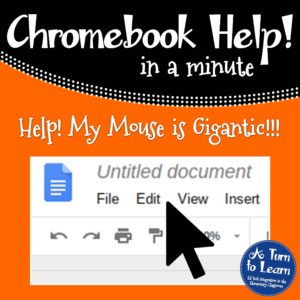
Chromebook Help - Fix a Gigantic Mouse

Help! Fix My Chromebook… My Mouse is Gigantic!

Try This Activity

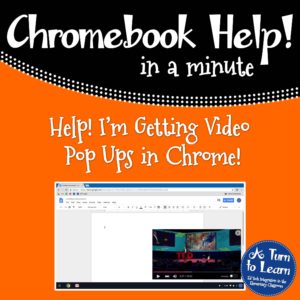
Chromebook Help - Fix Video Pop Ups in Chrome

Help! Fix My Chromebook… I’m Getting Video Pop Ups!

Popular Posts

  • Help! Fix My Chromebook… My Mouse is Gigantic!
    Help! Fix My Chromebook… My Mouse is Gigantic!
  • 5 Tips for Using a Chromebook for the First Time
    5 Tips for Using a Chromebook for the First Time
  • 3 Tricks You Need to Know (and Teach Your Students!) About the Trackpad on Your Chromebook
    3 Tricks You Need to Know (and Teach Your Students!) About the Trackpad on Your Chromebook
  • How to Make a 4" x 6" Document in PowerPoint
    How to Make a 4" x 6" Document in PowerPoint
  • b and d Uno: a 75 Follower Giveaway!
    b and d Uno: a 75 Follower Giveaway!

Copyright © 2026 · Modern Studio Pro on Genesis Framework · WordPress