A Turn to Learn

Ed Tech Integration in the Elementary Classroom

  • Technology Tutorials
    • Chromebooks
    • PowerPoint
    • Photo Editing
  • Teacher Tips
    • Classroom Organization
    • Classroom Management
    • Techie Tricks
  • Classroom Activities
    • Smartboard Games
    • Teachers Pay Teachers
  • About Me

Help! Fix My Chromebook… My Screen is Sideways!

05.01.2018 by Jessica Kings //

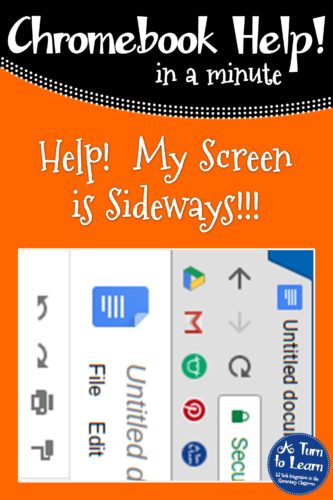
Chromebook Help - My Screen is Sideways


I know most schools have a tech department that teachers can call when they experience problems with their Chromebooks… but that doesn’t always help in the moment! Some Chromebook problems are so easy to fix that it’s helpful to know how to fix them before they take away from instructional time!

I have a few students who like to pretend that they’re typing really fast… so they click around on the keyboard and end up randomly changing certain settings. I’ve had a few teachers ask me about this issue… how did this Chromebook screen end up sideways?!

If you’re having this issue, no need to call your tech team, it’ll take less than a minute to fix!


Help! Fix My Chromebook… My Screen is Sideways!

This is nice and easy to fix, all you have to do is:

  1. On your Chromebook keyboard, hold down Control + Shift + the circular arrow (in the top row of the keyboard)… this will rotate the screen 90 degrees.
  2. Press Control + Shift + the circular arrow again to keep rotating your screen… Repeat until it’s back in the right direction!


Watch this video to see this fix in action:

Try It!

On your Chromebook keyboard, hold down Control + Shift and that circular arrow key on the top on your screen… just be prepared to press it a few times to bring your screen back to the right direction!!!
Chromebook Help - My Screen is Sideways

Share this:

  • Facebook
  • Pinterest
  • Twitter
  • Email

Categories // Chromebooks

Connect

  • Bloglovin
  • Facebook
  • Pinterest
  • YouTube

Search

Categories

Products

Certifications


Tynker Blue Ribbon Educator

Nearpod Certified Educator

Certified Brain Pop Educator

Try This Tutorial

Chromebook Help - Fix a Gigantic Mouse

Help! Fix My Chromebook… My Mouse is Gigantic!

Try This Activity

Chromebook Help - Fix Video Pop Ups in Chrome

Help! Fix My Chromebook… I’m Getting Video Pop Ups!

Popular Posts

  • How to Make a 4" x 6" Document in PowerPoint
    How to Make a 4" x 6" Document in PowerPoint
  • How to Make an Outline of Any Font!
    How to Make an Outline of Any Font!
  • 3 Things You Need to Do With Your Chrome Bookmarks
    3 Things You Need to Do With Your Chrome Bookmarks
  • How to Make Your Fonts Look Fancy in PowerPoint
    How to Make Your Fonts Look Fancy in PowerPoint
  • How to Make Clipart From Your Own Drawings!
    How to Make Clipart From Your Own Drawings!

Copyright © 2026 · Modern Studio Pro on Genesis Framework · WordPress